Free guide to download · 89-page PDF slide deck (in French) · Odoo 20
Tutorial: add WhatsApp to Odoo for free, the complete guide as a slide deck
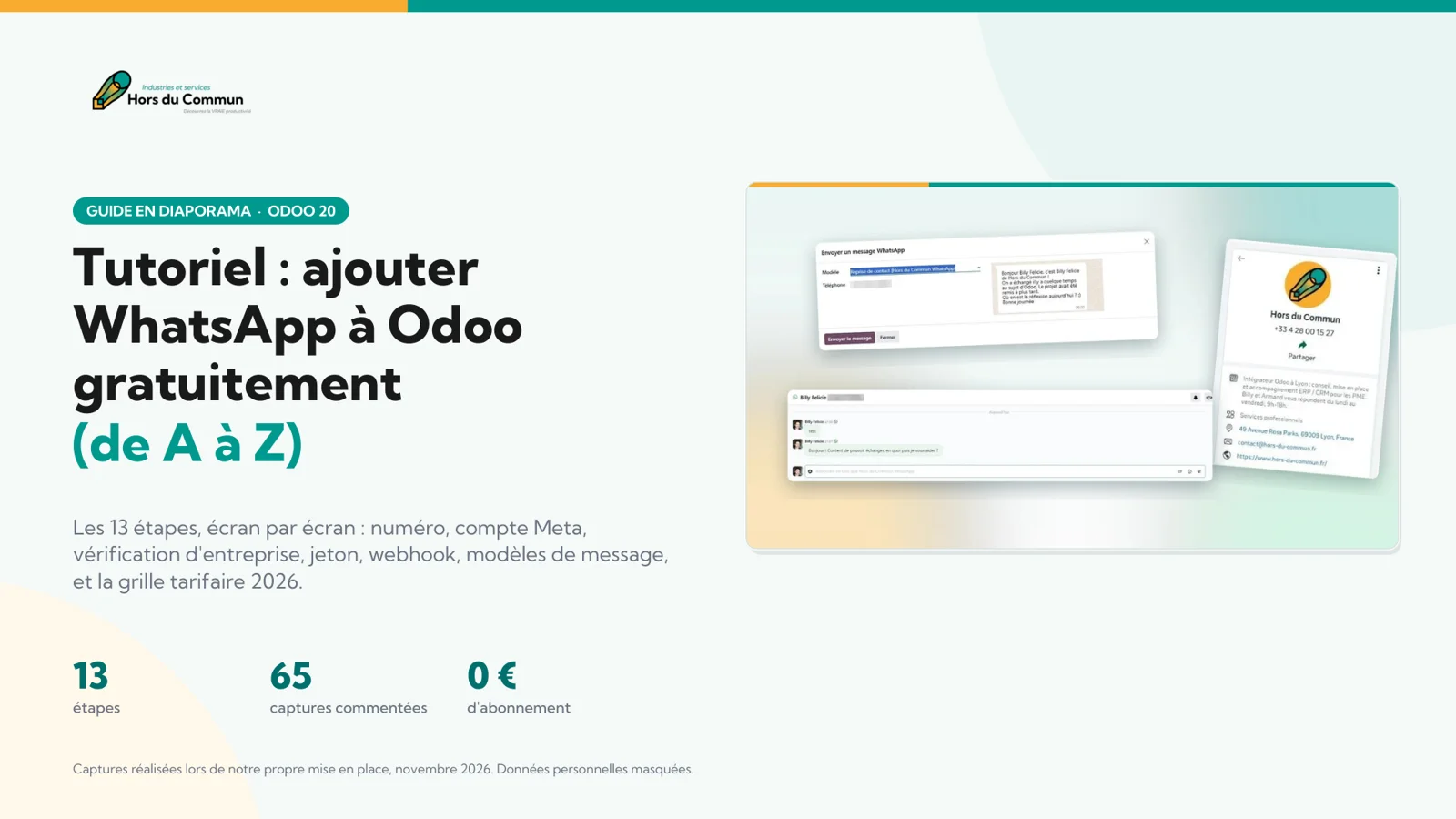
Connecting WhatsApp to Odoo 20 costs no subscription, but it takes method: a Meta developer account, business verification, a token, a webhook, templates. We did it end to end for our own number, and captured everything, screen by screen.
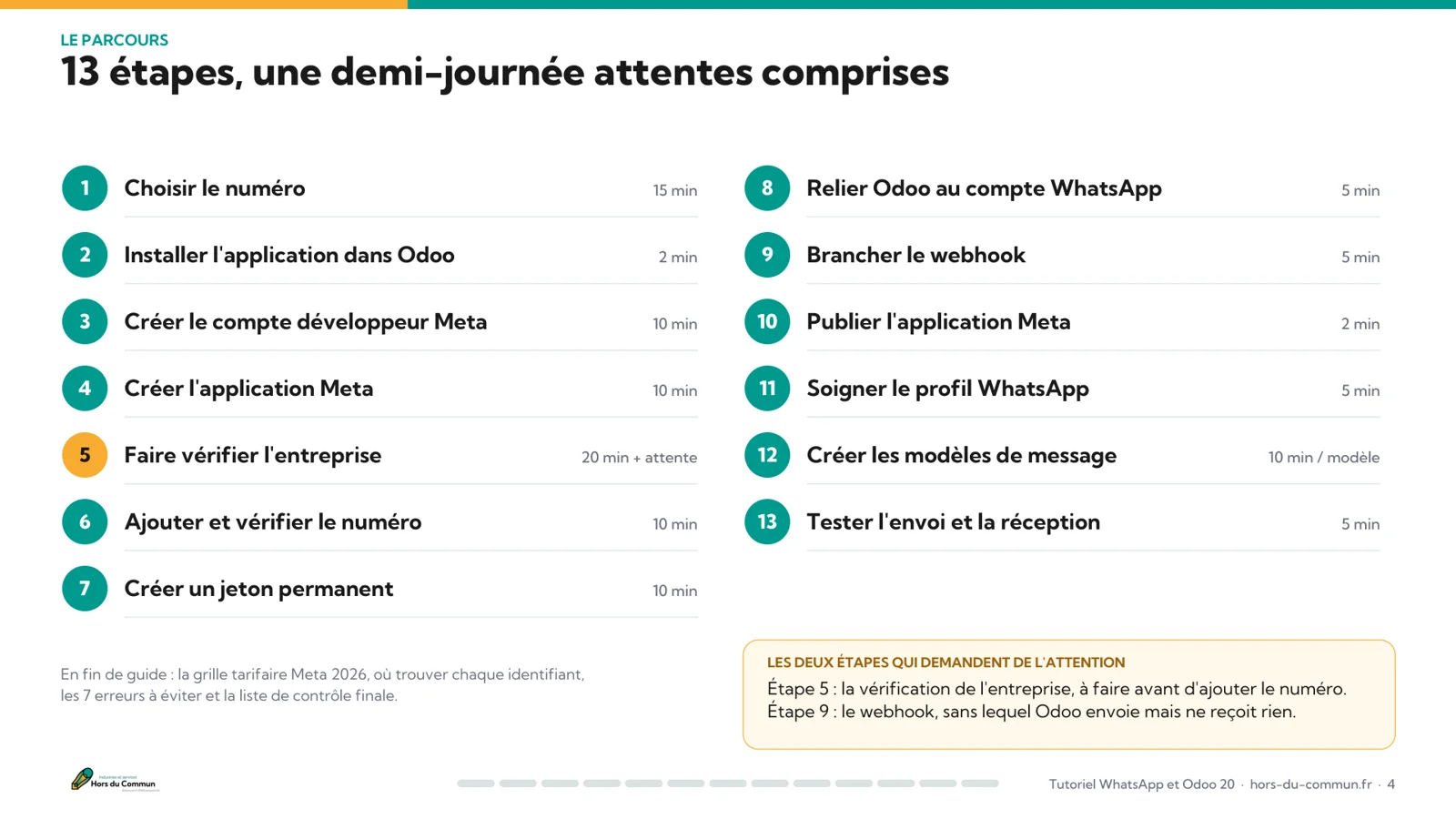
- The 13 steps in the real order, from choosing the number to the first message sent
- 65 annotated Meta and Odoo 20 screens, with the exact actions to take
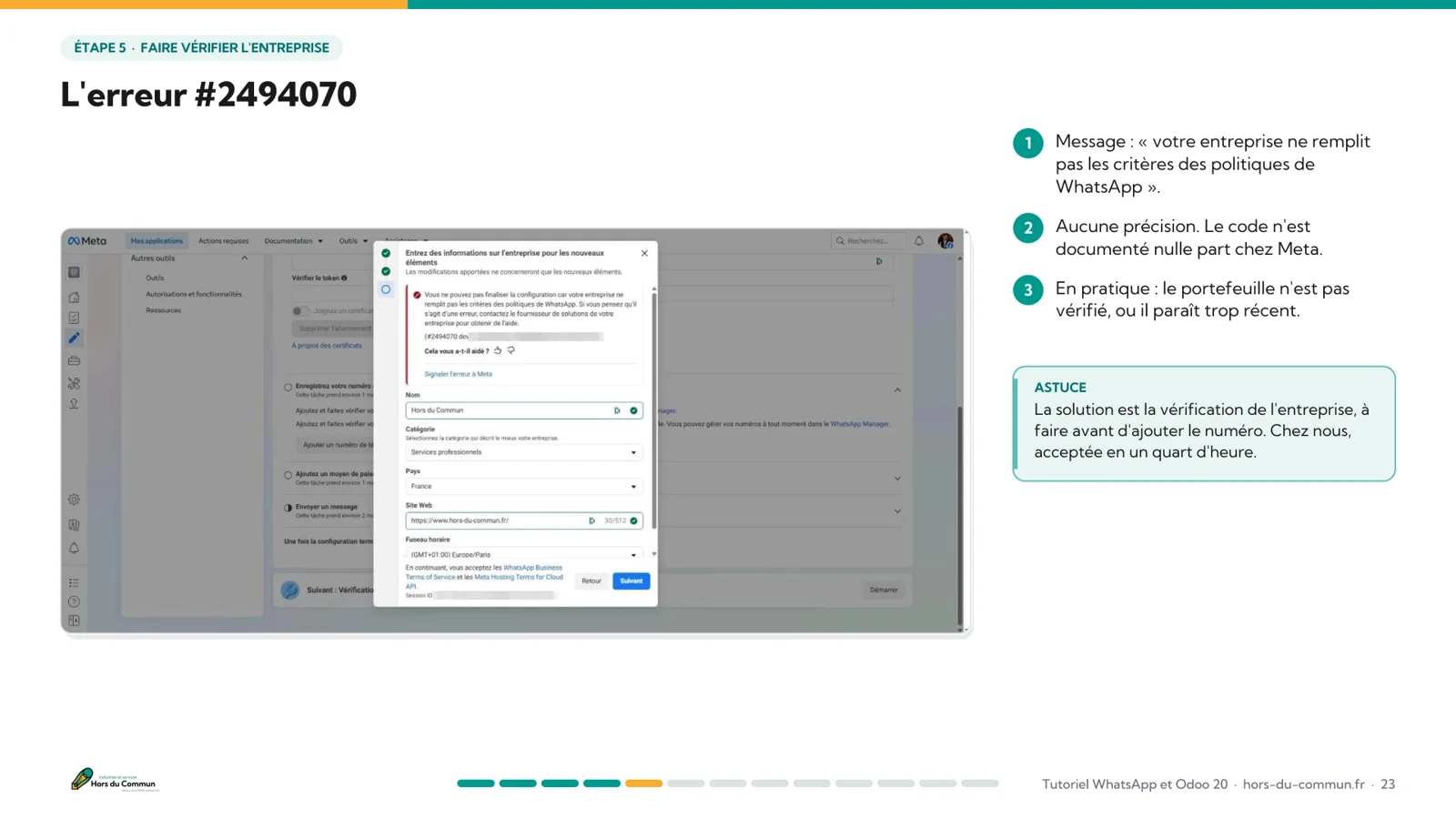
- The error #2494070 trap, and how to avoid it
- Meta's price list for France, in effect since October 1, 2026
- A cheat sheet for the IDs, the 7 mistakes to avoid and the final checklist
Get the guide by email
The download link arrives within a minute.
What's in the guide
One slide per screen, from the first click to the first message
The deck follows the real order of the setup. Every screen is annotated: the actions on the right, the traps in a callout box.
13 steps
Number, Odoo app, developer account, Meta app, business verification, phone number, token, connection, webhook, publishing, profile, templates, test.
65 annotated screenshots
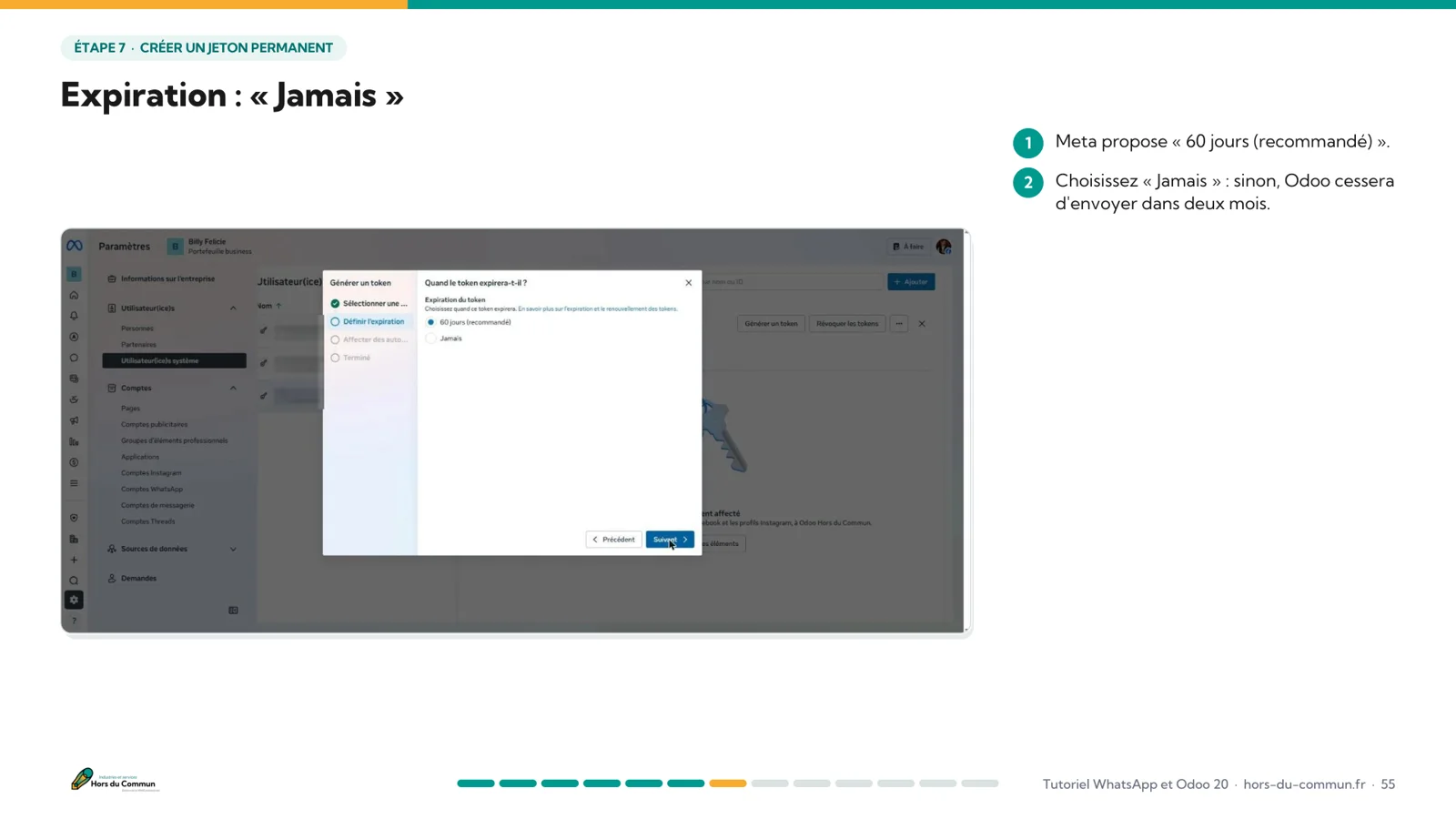
One slide per screen: what to click, what to enter, and a “Watch out” box whenever a trap is lurking.
2026 pricing
The price of each message category, the rules of the 24-hour window and a worked example for an SME.
Everything to check
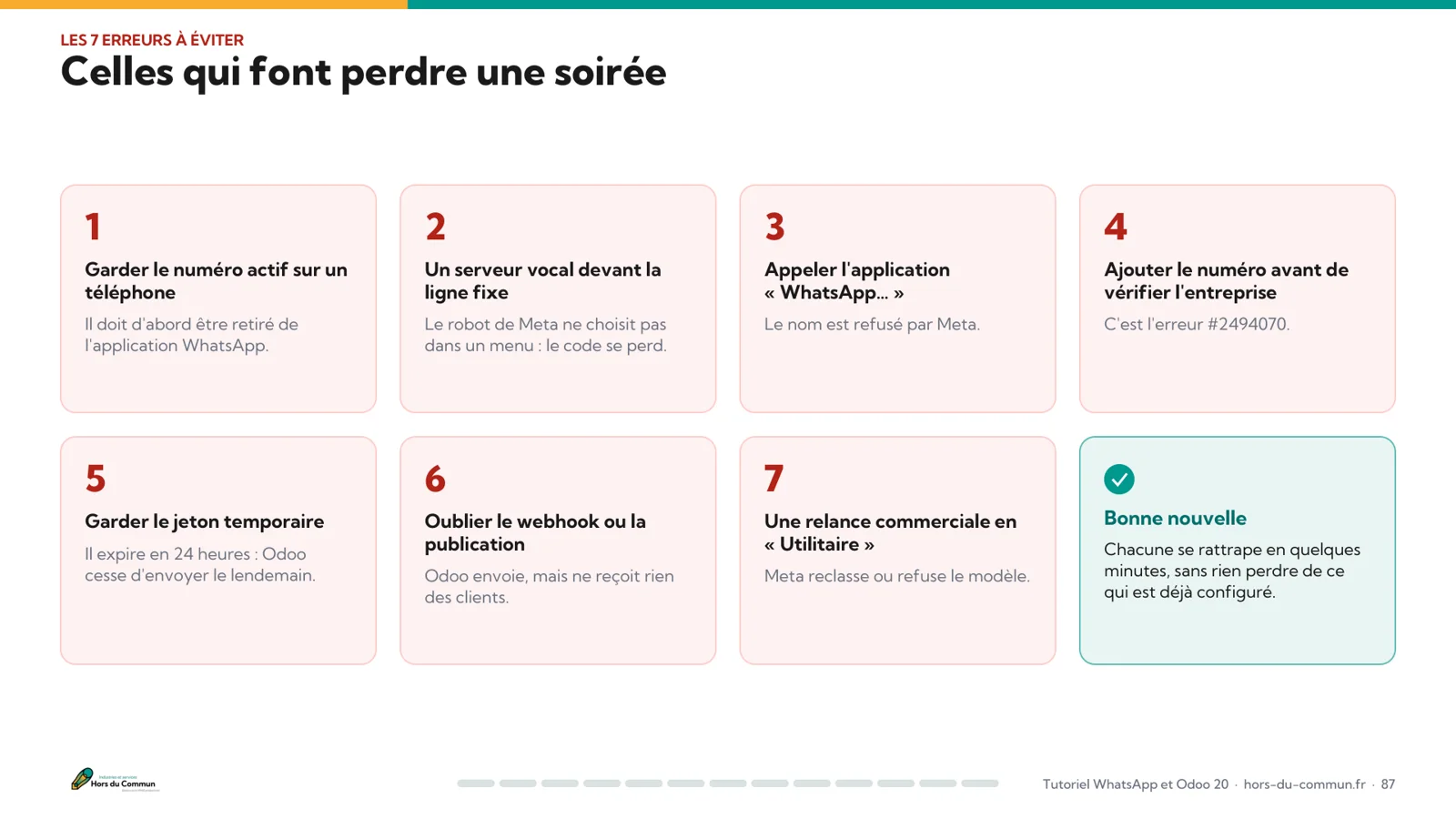
Where to find each ID, the mistakes that cost you an evening, and 10 boxes to tick before you call it done.
Preview
A few pages from the deck
How much does WhatsApp cost in Odoo?
No subscription, only the messages you start
The WhatsApp app is included in Odoo 20 Enterprise. Meta charges per delivered message, never per message sent, based on the message category. For an SME that sends 50 first contacts and 100 follow-ups a month, the bill comes to about €6 excl. VAT.
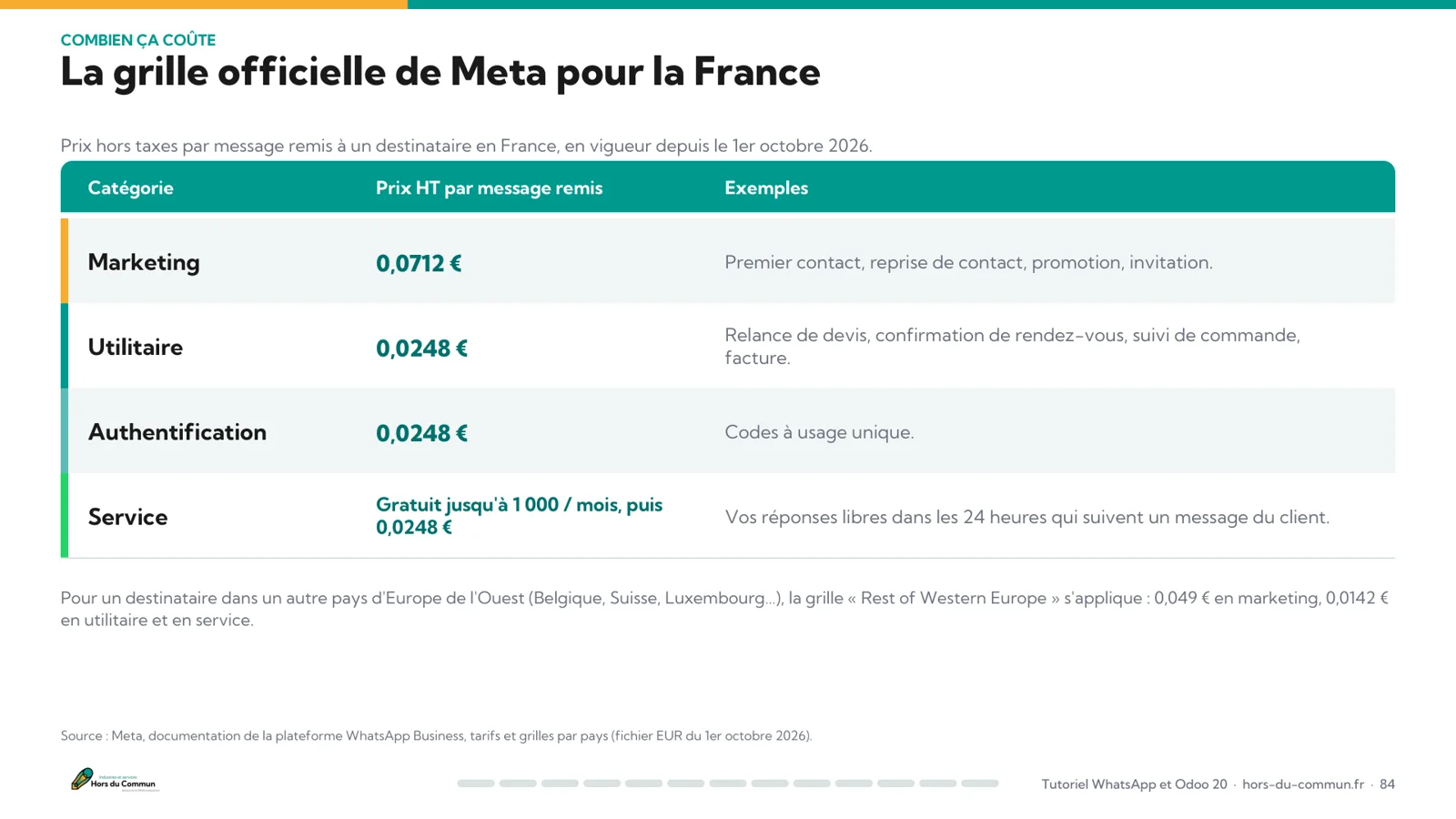
Meta's official price list for a recipient in France, in effect since October 1, 2026. The guide details the rules of the 24-hour window and the other European countries.
| Category | Price per message, excl. VAT | Examples |
|---|---|---|
| Marketing | 0,0712 € | First contact, reconnecting, promotion |
| Utility | 0,0248 € | Quote follow-up, appointment confirmation, invoice |
| Authentication | 0,0248 € | One-time codes |
| Service | Free* | Your replies within 24 hours of a customer's message |
* Up to 1,000 messages per month and per number, then €0.0248.
Who is it for?
A guide built for the people who do it, and the people who decide
SME owners
You want a company WhatsApp shared by the team, with no extra subscription, and to know what it will really cost.
Sales teams
You follow up on quotes and answer customers: the whole history stays on the record in Odoo.
Odoo administrators
You do the setup: every Meta screen is there, with the exact settings and the traps.
Prefer to read online? The same walkthrough is covered in our tutorial to add WhatsApp to Odoo for free, on the blog.
Frequently asked questions
WhatsApp and Odoo: your questions
Ready to connect WhatsApp to your Odoo?
The complete deck, free, in your inbox in a minute.
Get the guide