We integrate your French accounting into Odoo
Odoo is not just about invoicing. The Odoo Accounting app automates bank reconciliation, makes bookkeeping more reliable, tracks your analytic profitability and simplifies tax compliance for French SMEs.
French localization
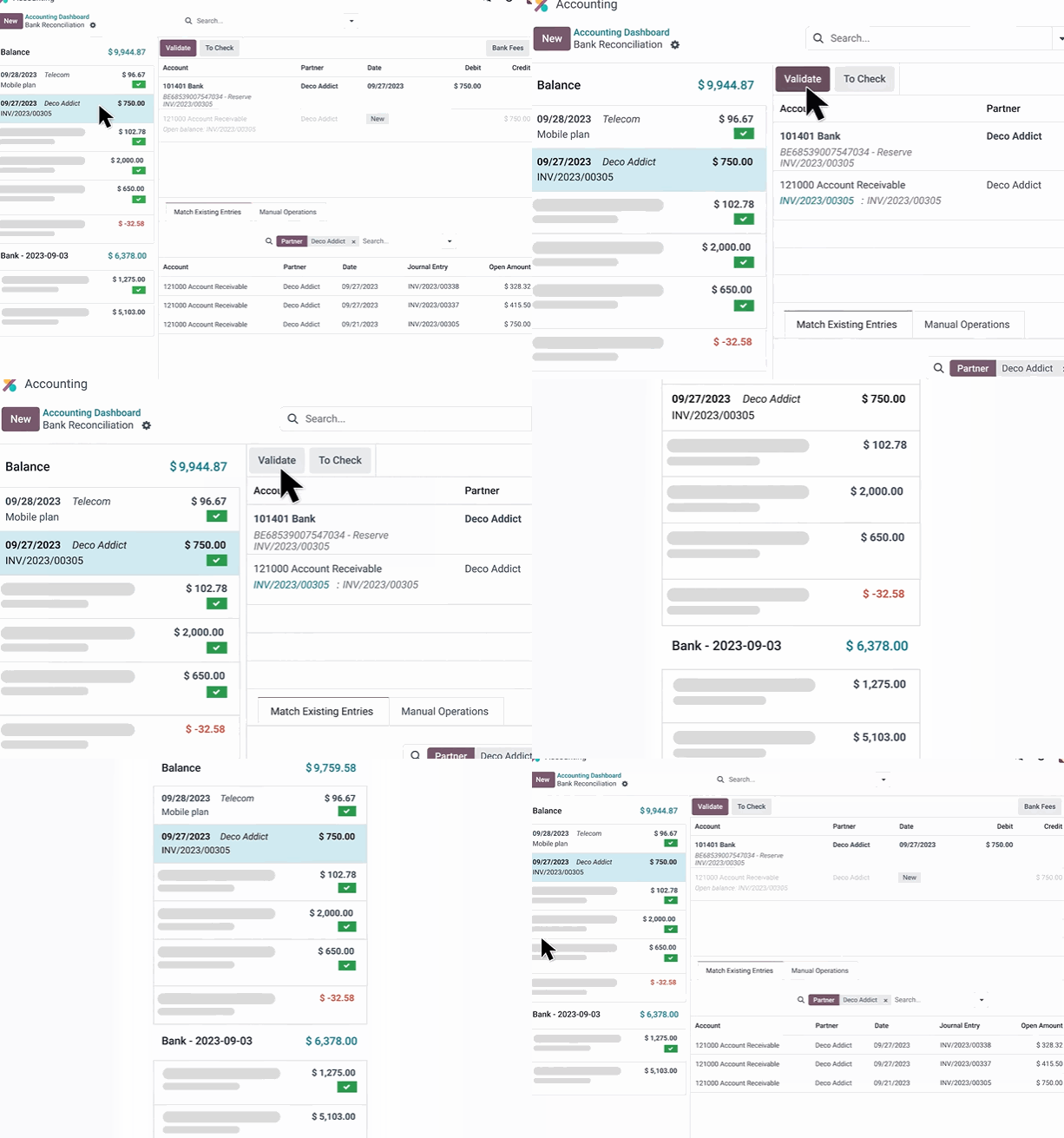
FEC (French standard audit file), Chorus Pro (French public-sector invoicing portal), Factur-X and French accounting compliance built into your Odoo environment.
What is the difference between Odoo Invoicing and Odoo Accounting?
Many companies confuse invoicing and accounting. Odoo Invoicing covers simple quote, invoice and payment flows. Odoo Accounting goes further and becomes the real foundation of your accounting and financial management.
Odoo Invoicing
- • Customer quotes and invoices
- • Simple vendor bills
- • Payments and sales follow-up
Odoo Accounting
- • Automated bank reconciliation
- • Analytic accounting and budgets
- • Multi-company and multi-currency
- • Financial reports and closing
The real issue: managing profitability
With Odoo analytic accounting, you track profitability by project, business line, cost center or deal. You are not just doing your bookkeeping: you use financial data to run your business day to day.
What about your accountant?
They can work directly in Odoo or retrieve your accounting exports, FEC and financial statements. Odoo becomes a clean foundation for collaboration between your internal teams and your accounting firm.
Odoo Accounting FAQ
Answers to the most common questions before moving your accounting to Odoo.
Deploying Odoo Accounting with a method
Success does not come from the software alone. It comes from sound accounting scoping, clean data and a phased deployment.
What you absolutely must do
- • Define the right scope: simple invoicing or full accounting.
- • Properly configure the chart of accounts, journals and taxes before go-live.
- • Clean up partners, accounts and data to migrate before import.
- • Secure periods with accounting lock dates.
- • Train users on how Odoo Accounting actually works.
Mistakes to avoid
- • Replicating the old software exactly: Odoo has its own logic, and you need to respect it.
- • Importing too much history: it weighs down the database and slows the project.
- • Automating too early: first stabilize your journals and accounting flows.
- • Neglecting the opening: without reliable opening balances, all your accounting becomes shaky.
🔗 Learn more: How can you be sure you have the right configuration from the start and avoid setup mistakes? That is the purpose of the discovery phase. Find out how an Odoo audit works to align the ERP with how your business really operates.
How long does it take to deploy Odoo Accounting?
The timeline depends on your structure, data volume, the level of automation you expect and the accounting data migration required.
Ballpark: an invoicing + accounting + banking + training foundation often represents about 15-20 days of work, spread over 3 to 4 months depending on your internal availability.
Simple case
A few days to 2 weeksSmall business or simple structure, few users, standard accounting, little historical data to migrate.
Intermediate case
4 to 8 weeksSME with bank reconciliation, follow-ups, suppliers, opening balances and business training.
Advanced case
3 to 5 months or moreMulti-company, advanced analytics, heavy FEC migration, complex approval workflows or structured ERP migration.
Migrating your accounting to Odoo from your old software
We support the migration of your accounting data, partners, balances and opening entries from the main solutions used in France.
🔗 Learn more: Switching your accounting is daunting, and understandably so. What exactly gets imported? Should you migrate 5 years of history? To see clearly, read our guide explaining exactly how to migrate your data to Odoo.
How can you implement Odoo in your SME without breaking the bank?
Optimize your processes, control your costs: the complete guide to a successful Odoo ERP implementation.
How can you implement Odoo in your SME without breaking the bank?
Optimize your processes, control your costs: the complete guide to a successful Odoo ERP implementation.

Boost your growth with Odoo CRM
Stop letting prospects slip away. Request your strategic assessment, 100% free and tailored to your business.
By phone or video call, at your convenience.
Hors du Commun • Odoo integrator in Lyon
Odoo Accounting expertise • Analytic accounting • FEC migration • Digital finance