Run your Point of Sale with Odoo
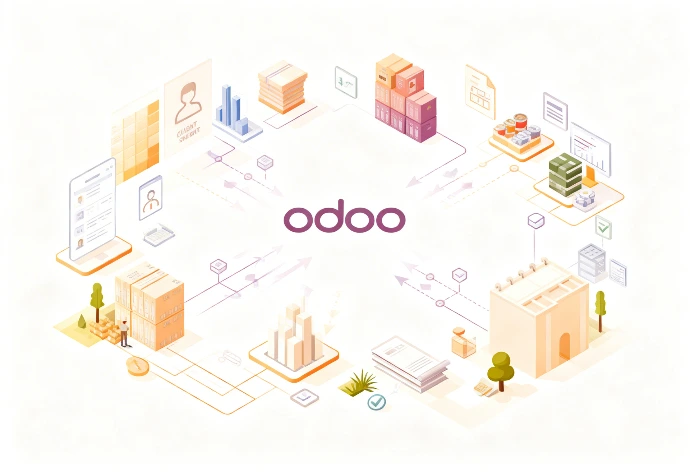
Ringing up sales is not enough. Good POS software also has to update inventory in real time, record the right payments, track customers and make your margins reliable. With Odoo Point of Sale, your register is directly connected to your company's inventory, purchasing, customer loyalty and accounting flows.
Why bad POS software costs you money
The real problem is not taking payments. It is the lack of sync between the register, inventory, prices, returns and accounting.
Wrong stock levels and invisible stockouts
When the register does not deduct inventory correctly, theoretical stock becomes wrong. Replenishment goes out too late, you lose sales and your margin becomes hard to manage.
Manual price and item management
Per-kilo prices keyed in by hand, poorly handled container deposits, gift baskets that do not deduct the right components: these workarounds at the register create errors everywhere.
Accounting and payments not properly linked
When payment journals or returns are poorly configured, accounting has to reprocess the flows by hand. Teams then end up working around the register with Excel files.
Odoo Point of Sale features
Odoo Point of Sale runs directly in the browser, can keep operating offline if the internet goes down, syncs data across multiple stores and updates inventory in real time.
🔗 Go further: Why limit your sales to your physical store? With Odoo, your store inventory and your online inventory are one and the same. Explore our B2C Odoo online store solutions to sell anywhere, anytime.
Payments, register and daily operations
- Secure register opening and closing
- Cash in and cash out during the day
- Returns and refunds handled out of the box
- Receipt printing, end-of-day X and Z reports
Customers, promotions and loyalty
- Instant customer identification
- Loyalty program and order-wide discounts
- eWallet payments and customer credit
- Automatic fiscal positions
- Access rights by cashier or manager
Odoo Point of Sale for retail, food stores and restaurants
Retail, food, bulk and specialty stores need real management of items, prices and stock movements.
Sale by weight, per-kilo pricing and labels
Odoo can be connected to scales and label printing for products sold by weight. This avoids manual entry and price display errors at the register.
Gift baskets, boxes and kits
A gift basket or kit sold at the register can automatically deduct the right components through Odoo bills of materials. Inventory stays accurate, even on complex sales.
Container deposits and returns
Returns of bottles, crates or containers can be handled with proper flows in Odoo, without hacking negative discount lines that distort your margin and accounting analysis.
Connecting the Odoo register to purchasing and replenishment
A customer can order an item in store that is not immediately available and pay a deposit. Odoo then turns this sale into a deferred shipping flow and can create a replenishment need on the purchasing side. The register is no longer isolated: it plays a direct role in managing inventory and orders.
🔗 The secret to stress-free management: By connecting your point of sale to the rest of the ERP, your journal entries are generated automatically at every closing. No more days spent checking receipts one by one. Find out how to optimize your accounting with Odoo.
Estimate the cost of your IT project
Discover the full scope of an Odoo implementation engagement and the real costs to plan for your project.
Estimate the cost of your IT project
Discover the full scope of an Odoo implementation engagement and the real costs to plan for your project.
What hardware do you need to run Odoo Point of Sale?
An Odoo POS project often fails because of the wrong hardware choice. The software supports many recent devices, directly over the network or through the Odoo IoT Box.
Barcode scanners
1D/2D handheld scanners, USB or Bluetooth.
Receipt and label printers
Receipt and label printing over the network or USB.
Cash drawers
Opens in sync with receipt printing.
Payment terminals
Amount sent directly to the payment terminal, depending on compatibility.
Odoo Point of Sale FAQ
How long does it take to set up Odoo Point of Sale?
Realistic estimates, based on our on-site scoping work in retail stores and restaurants.
Simple case
Simple shop, standard product catalog and standard checkout.
Structured store
Link between store and warehouse inventory, returns, loyalty, payment journals and staff training.
Full retail
Complex business rules, scales, labels, specific hardware and advanced accounting integration.

Boost your growth with Odoo CRM
Don't let your prospects slip away. Request your strategic assessment, 100% free and tailored to your business.
By phone or video call, at a time that suits you.
Hors du Commun • Odoo integrator in Lyon
Odoo Point of Sale • POS software • Retail • Restaurants • Centralized inventory