
Odoo Community or Enterprise: for an SME, Odoo Enterprise is the safer choice as soon as you want full accounting, the mobile apps, hosting by Odoo and version upgrades handled by the publisher. Odoo Community, free and open source, only makes sense if your needs fit within invoicing, CRM, sales, purchasing and inventory, and if someone, in-house or at a service provider, knows how to host, secure and upgrade an Odoo database.
So the license price is not the real issue. The real issue is what each edition leaves you to handle over five years: running the server, filling in the missing apps, moving from one version to the next. The differences below come from the edition comparison page published by Odoo and from its official documentation. The screenshots are from Odoo 20, in an Enterprise test database.
What is the difference between Odoo Community and Odoo Enterprise?
Odoo comes in two editions that share the same core code. The publisher sums it up this way on its comparison page:
“Odoo Community is the core upon which Odoo Enterprise is built” (Odoo, “Compare editions” page).
Community is released under the LGPL version 3 license. You download it, install it on the server of your choice, and pay no license fee. Enterprise adds extra apps and features on top of this core. Its license, reproduced in the Odoo documentation, only allows you to use it with a valid Odoo Enterprise subscription covering the right number of users.
Odoo's table also separates the two editions on three services: functional support from the publisher, version upgrades and hosting. All three are checked only for Enterprise. The same goes for the Android and iOS mobile apps: only use in a web browser is checked on both sides.
Support matters more than it seems when you make the choice. With Enterprise, a usage question goes to the publisher's support team. With Community, the answers come from the documentation, the Odoo forum or the service provider you pay for it. One month-end close, or a first stock count, is enough to measure the difference.
In other words, Community is software, Enterprise is software plus services. With Community, everything around the software (server, backups, patches, upgrades) rests on you or on the service provider you choose.
Which apps are missing in Odoo Community?
The commercial foundation is present in both editions: CRM, Sales, Point of Sale, Purchase, Inventory, Manufacturing, Project, Timesheets, Website, eCommerce, Invoicing, Expenses, Employees, Time Off and Recruitment. For a services company that sends quotes, or for a simple trading business, that is already a good base.
The gap widens on the features that save time every day. Here is what Odoo's comparison page checks only for Enterprise, grouped by SME need:
| Need | Checked only for Enterprise |
|---|---|
| Finance | Full accounting, invoice digitization (OCR), Payroll |
| Production | Shop Floor, manufacturing control panel and planning, PLM, Quality |
| Warehouse | Barcode scanning in Inventory |
| Services | Helpdesk, Planning, Field Service, Appointments, timesheet grid view and validation |
| Sales | Subscriptions, Rental, Amazon connector |
| Organization | Documents, Sign, Knowledge, Approvals, VoIP |
| Customization | Studio |
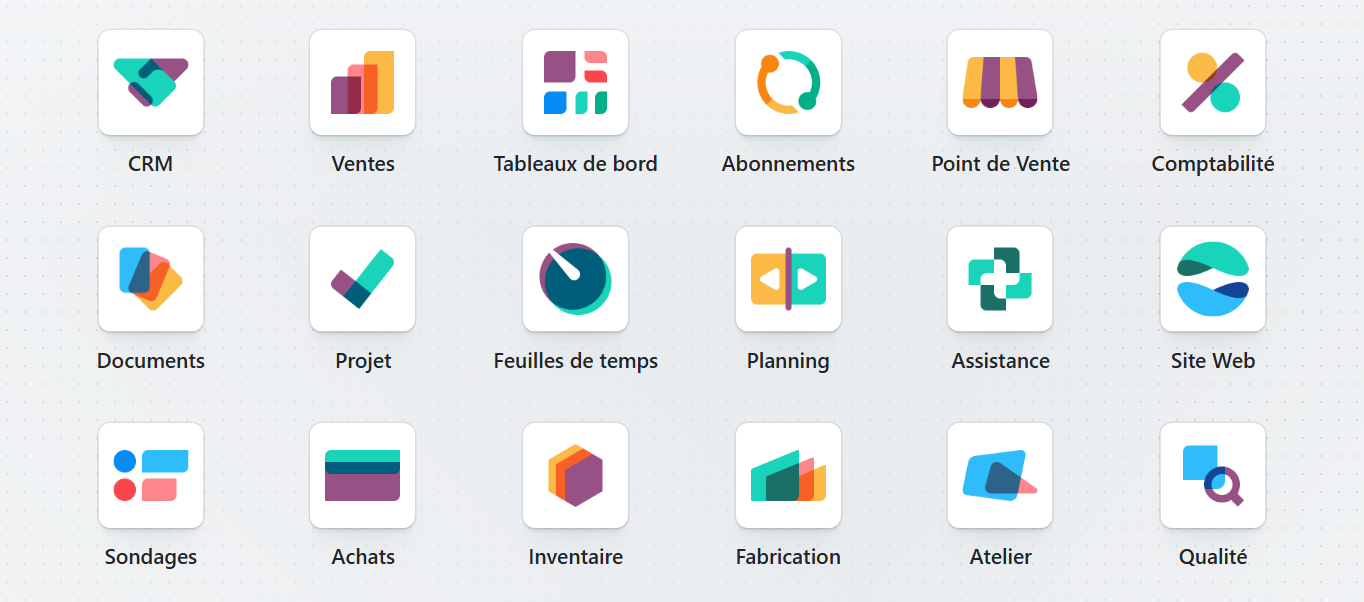
Take an industrial SME with 25 people. In Community, it creates its bills of materials and its manufacturing orders. But it has neither Shop Floor for operators, nor order planning, nor quality control. Each gap is filled by a third-party module or by custom development, which then has to be maintained. A 15-person services company has the same experience with helpdesk and planning: in Community, customer tickets and the technicians' schedule stay in other tools, or go through a third-party module.
Studio also weighs in the balance. It is the tool that lets you add a field to a quote, change a document or create a small app without writing code. Without it, the slightest adjustment goes through developer mode or through a developer.
Can you run your accounting with Odoo Community?
Not completely, and it is often the deciding point for a French SME. Community includes the Invoicing app, with payments: you issue your invoices, record your vendor bills and track what has been paid. However, the “Full accounting” line is checked only for Enterprise. It covers the general ledger, bank statement reconciliation, analytic accounting, OCR for vendor bills, budgets, consolidation and reports.
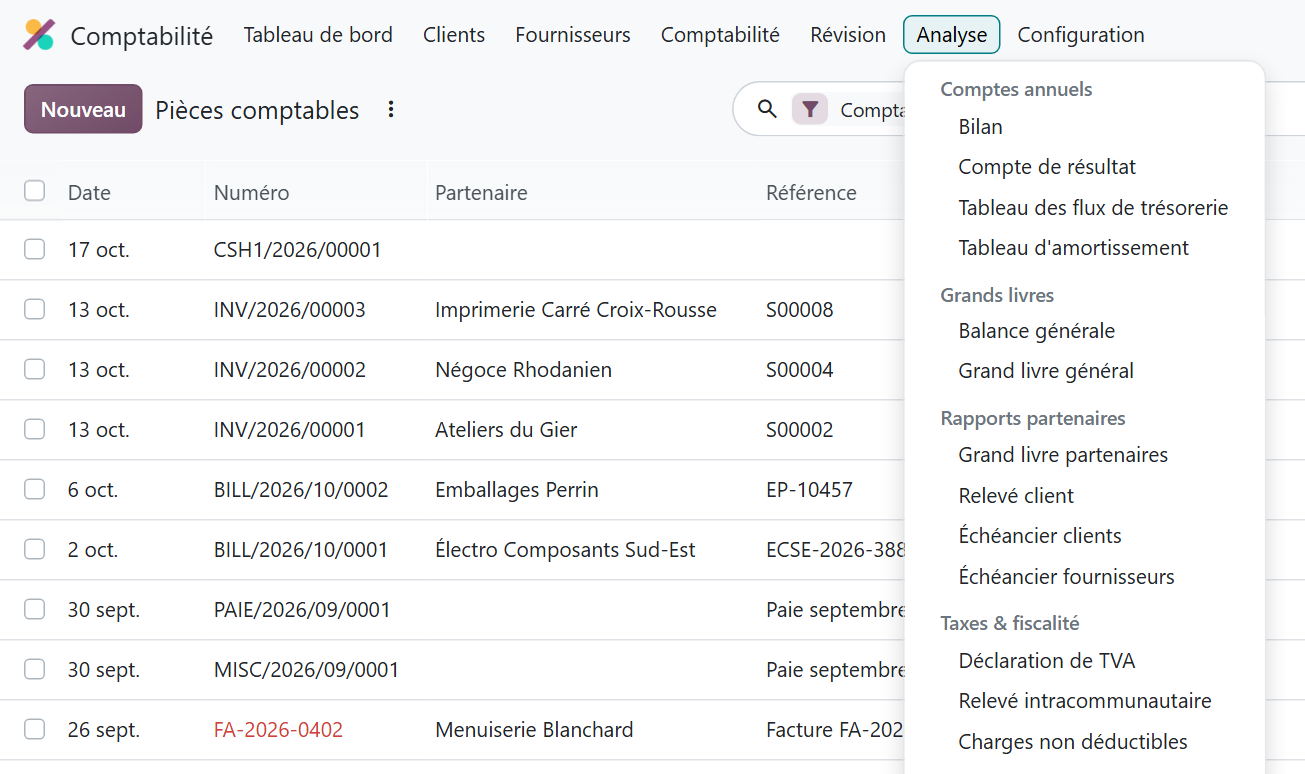
These are the statements your accountant asks you for. Without them, two paths remain: export the journal entries to the firm's software, or install third-party modules that add these reports. Either way, have your accountant confirm the file format and the statements they expect before you choose the edition.
The same caution applies to e-invoicing: Odoo's comparison page does not cover the French reform. Before signing, check how the chosen edition connects to an approved platform (PA, France's certified e-invoicing platform), and ask for a demonstration on your own case.
Where can you host Odoo Community and Odoo Enterprise?
Community is installed on a server you administer, on your premises or with a hosting provider of your choice. The “Hosting” line in Odoo's table is checked only for Enterprise: with Community, hosting is not part of the publisher's services.
Enterprise leaves three options. Odoo Online, the publisher's cloud, is included in both plans, with storage of up to 100 GB according to Odoo's pricing page. You have no server to manage, and the documentation specifies that version upgrades are mandatory there, then triggered automatically at the deadline if you have not done anything. Odoo.sh, the publisher's other platform, is designed for databases that receive custom development, and is billed separately. Finally, installing on your own servers remains possible with the Custom plan.
For a business owner without an IT team, this is often the deciding argument. In Community, server availability, backups and security become your problem, or that of a service provider you will have to choose, manage and pay. The day the server goes down during the month-end close, that provider is the one you call, not Odoo.
How much does each edition of Odoo really cost?
Community costs nothing in licenses. Enterprise is paid per user. On the price list checked on odoo.com on September 27, 2026, the Standard plan costs €19.90 per user per month with an annual commitment in the first year, then €24.90. The Custom plan costs €35.90, then €44.90.
The difference between the two plans matters in the choice. The Standard plan gives you all the apps, on Odoo Online, the publisher's cloud. The Custom plan adds Studio, agentic AI, multi-company management and the external API, and lets you choose where to install the database: Odoo Online, Odoo.sh or your own servers.
On the Community side, a zero license fee says nothing about the real cost. You have to pay for everything Odoo does not do for you: a server, tested backups, security patches, monitoring, and the time spent filling in the missing apps. That time has a cost, in internal salaries or in service fees. To compare honestly, lay out both columns over five years: licenses on one side; the server, modules, development and upgrades on the other.
The official prices, the discounts that really exist and what is truly free at Odoo (the One App Free plan, the trial, the Community edition) are detailed, with the prices we checked, on our page about the Odoo promo code and official discounts.
What happens when you move to a new version of Odoo?
It is the least visible difference on the day you choose, and often the heaviest three years later. The Odoo documentation states that each major version is supported for three years. On your own servers, staying on the same version indefinitely is possible, but the documentation advises against it: sooner or later you have to upgrade, whatever the edition. The question is who takes care of it.
“With Odoo Enterprise, upgrading a database to the most recent version of Odoo is free, including any support required to rectify potential discrepancies in the upgraded database.” (Odoo 19 documentation, “Upgrade” page)
This service covers standard apps and customizations made with Studio, as long as Studio remains installed and the subscription is active. It covers neither additional modules created in-house or by third parties without a maintenance contract, nor data cleanup, nor training on the new version.
In Community, the “Version upgrades” line is not checked. Upgrading the database, and every third-party module added to fill a gap, is up to you. The documentation also warns that a database containing custom modules cannot be upgraded until those modules exist for the target version. Every module added to make up for Community is one more line in the upgrade project.
You when your Community database has to move to Odoo 20 and your third-party modules are still waiting to be ported.
Before deciding when to upgrade, look at what has actually changed from one version to the next. Our comparison tool adds up, area by area, the changes in Odoo Enterprise from version 16 to version 20: compare Odoo versions.
Can you start with Community and switch to Enterprise later?
Yes. Odoo says so on its comparison page: you can switch editions at any time. For a database installed on your own servers, the Odoo documentation describes the switch in five steps: back up the Community database, stop the server, install the web_enterprise module, restart the server, then enter the Odoo Enterprise subscription code.
Two caveats before betting on this scenario. First, Odoo's upgrade service does not cover the change of edition: the switch is a separate project from a version upgrade. Second, a third-party module installed to fill a Community gap may cover the same need as an Enterprise app. Each one needs to be reviewed before the switch, with the provider who maintains it: do you keep the module, and if not, how do you migrate its data?
Starting with Community “to see how it goes” therefore makes sense if the scope is small and stable. If you already know that accounting, production or helpdesk will go into the tool, starting directly in the edition where they exist saves you from doing the work twice.
So, which edition of Odoo should your SME choose?
The decision is made on your processes, not on the displayed price. Here is a decision grid, built from Odoo's comparison table:
| Your situation | Best-suited edition |
|---|---|
| CRM, sales, purchasing, inventory and invoicing only; accounting kept by the accounting firm in its own software | Community may be enough |
| Someone in-house who knows how to host, back up and upgrade an Odoo server | Community is an option |
| Accounting, bank reconciliation and financial statements in Odoo | Enterprise |
| Production with shop floor, planning or quality control | Enterprise |
| Teams on smartphones, barcode scanning in the warehouse | Enterprise |
| No IT staff, hosting and upgrades handled by the publisher | Enterprise |
| Multiple companies, Studio or connection through the external API | Enterprise, Custom plan |
For a company with 10 to 50 employees, Community remains the exception: it requires a narrow scope and technical skills available in-house. Hors du Commun, an Odoo integrator in Lyon and Odoo partner, works mainly with companies of 10 to 50 users, on production, purchasing, sales management and e-invoicing. For production, the table above already gives the answer; for e-invoicing, the check described above still has to be done before choosing.

You when you are torn between the free edition and the paid edition, while the real question is: who will do the upgrade in three years?
If your hesitation is more about Odoo versus another software, our comparisons put Odoo up against Sage, SAP Business One, Dolibarr, Pennylane or HubSpot, and each one ends with a technical verdict: the Odoo 19 comparison tool.
Finally, whatever the edition, creating a database is not enough to implement an ERP. The main steps of a project carried out on your own, and its real dangers, are detailed in our article: installing Odoo yourself.
- Odoo, “Compare editions” (Odoo Enterprise vs Community), page accessed in October 2026: https://www.odoo.com/fr_FR/page/editions
- Odoo, Odoo 19 documentation, “Upgrade”: https://www.odoo.com/documentation/19.0/fr/administration/upgrade.html

Article written by Billy Felicie
Odoo integration expert at Hors du Commun (Lyon). I have been helping SMEs implement their digital tools and optimize their business processes for more than 5 years.