
An Odoo implementation in an SME is measured first in hours of work, then in calendar weeks: Odoo's project estimator recommends 25 to 200 consultant hours depending on the number of employees and the apps selected, and states that 80% of projects of this type go live in that number of hours or less. The actual duration in months then depends on four factors that are largely in your hands: the starting scope, data migration, the share of custom development and the availability of your internal lead.
A duration quoted in passing at a trade show or on a forum means nothing until you know what it covers. This article gives you the benchmarks published by recognized sources, the factors that stretch a timeline, and the decisions you can make right now to keep it short.
How long should you plan for, in hours and in months?
Let's start with the only figure the software publisher itself publishes. On its Success Packs page (packages of dedicated consultant hours), Odoo offers a project estimator: you enter the number of employees and the app families, and it recommends a pack of 25, 50, 100 or 200 hours. For a company with 20 employees that selects Sales & CRM, Logistics and Manufacturing, it displays:
“80% of projects of this type go live in 100 hours or less.” Odoo, Success Packs page, project estimator for 20 employees with Sales & CRM, Logistics and Manufacturing (viewed in October 2026).
With the same apps and 40 employees, the recommendation rises to 200 hours. Two points change how you read these figures. First, these are hours of work, not weeks: 100 hours is a little over 14 seven-hour days, and 200 hours a little under 29. That number says nothing about the timeline: everything depends on how many days per week the project takes up, at the integrator's end as well as yours.
Second, these are consultant hours. Your teams' time is not included: workshops, testing, cleaning up files, training colleagues. So the timeline also depends on an availability the estimator does not measure.
Take a simple example. If the logistics manager of a 20-person SME can only free up half a day per week, the inventory workstream will move at the pace of that half-day, however many hours the integrator has planned. The same workstream, with two days per week, can move up to four times faster on the calendar for the same number of hours.
So the right question is not “how many months?” but “how many hours, and at what pace?”. That is the question to ask any integrator who gives you a date, and the one to ask yourself before blocking out your teams' schedules.
Why does an ERP study report almost 17 months?
Studies of ERP projects tell a different story in terms of scale. Panorama Consulting, an American consulting firm, publishes studies on ERP projects based on responses from user companies. Its 2017 report is based on 342 responses collected between March 2016 and February 2017.
“Overall, the average implementation duration was 16.9 months.” Panorama Consulting Solutions, 2017 ERP Report.
Before drawing any conclusion for your SME, look at who is answering. The same report states that most of the organizations surveyed report at least $50 million in annual revenue, with an average of $445 million. In the last year studied, the average project cost reached $1.3 million.
These are companies and projects of a different size from those of an SME with 10 to 50 employees. So the figure of 16.9 months is not a duration benchmark for you. The report is still useful for another reason: it tells you what makes timelines slip.
59% of respondents say they exceeded their initial timeline. The top two causes of overruns cited are scope expansion (19%) and data issues (16%). These are precisely the two levers the rest of this article covers first, because they are decisions before they are technical topics.
Which factors really stretch the timeline?
Here are the four factors to examine first. None of them is primarily technical: each comes down to a decision made, or avoided, by the company.
The starting scope
Every app added at the start (sales, purchasing, inventory, manufacturing, accounting) adds configuration, testing and training. That is mechanical. Scope expansion along the way, on the other hand, tops the list of overrun causes identified by Panorama.
Order matters as much as size. Our implementation guide describes short cycles that take requirements from the simplest to the most complex. The example of a food manufacturer we supported shows this well. By configuring sales management first, the most “ordinary” building block, the team discovered that the company does not sell its products by the unit, but in cartons and boxes.
The entire catalog was restructured around this real packaging before touching inventory. Starting with logistics would have meant every stock move and every inventory count being calculated on the wrong unit of sale, and everything would have had to be undone. Redoing work is lost time on the calendar.
Data migration
The second cause of overruns in Panorama's report, data eats up time at every step: extraction, cleanup, formatting, import, checking. Our guide cites the case of a wholesaler coming from an old business management software. When an old software's export utilities are limited, a single clean extraction can cost half-days, sometimes whole days of work.
Every year of history added to the scope is paid for in days of cleanup that delay go-live. So the lever is simple: import what is needed at the start (products, active customers and vendors, stock levels, open invoices and orders) and leave the history available for consultation in the old tool, in read-only mode.
The scope to migrate, the seven-step process and the classic mistakes, such as trying to migrate everything or cleaning up too late, are explained on our page detailing how to migrate your data to Odoo.
On the tool side, Odoo provides import templates for the most common data, and a Test button that checks the data is valid before importing it. The official documentation points out that imports are final and cannot be undone. A file tested early is one less bad surprise in the week of the switchover.
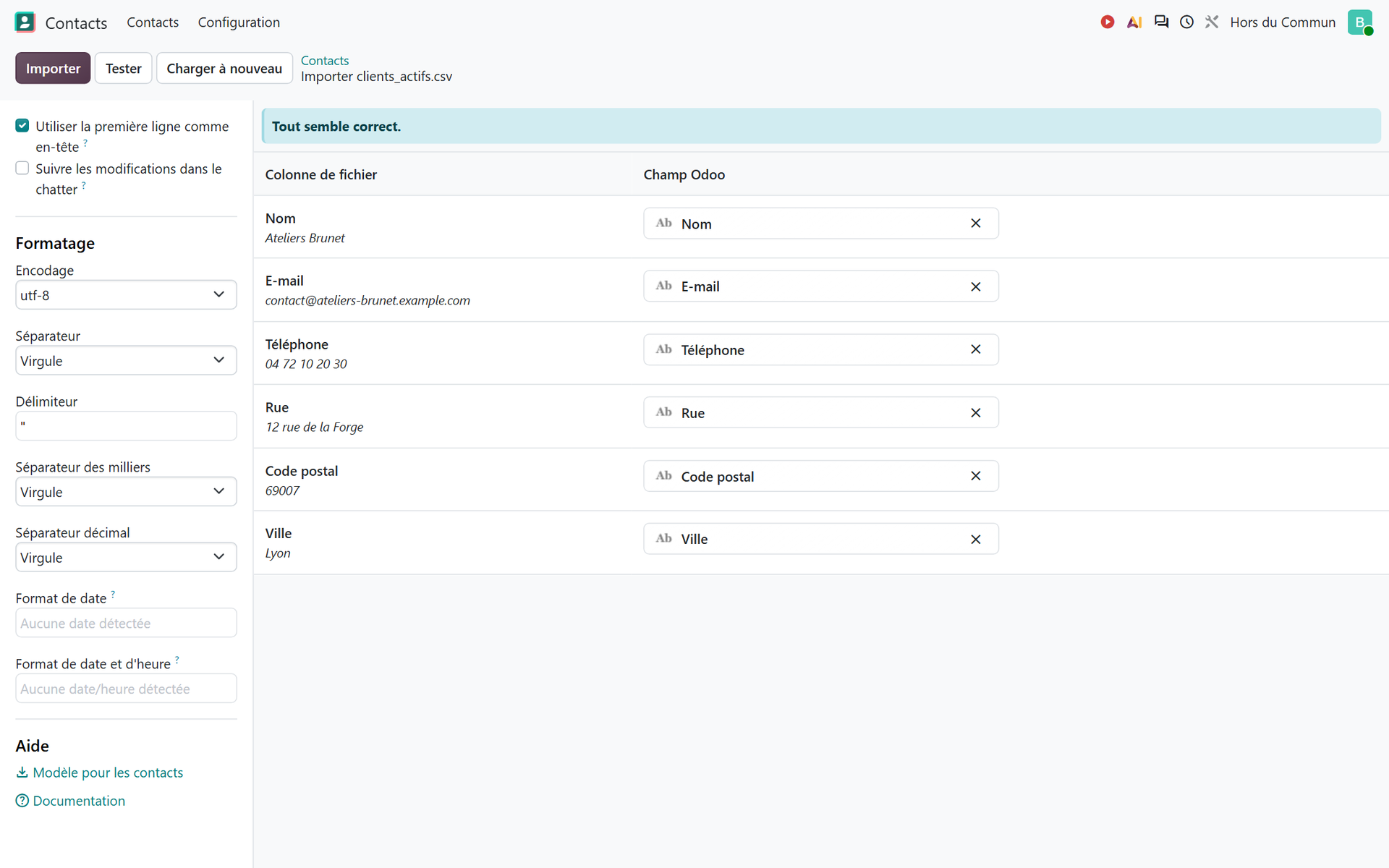

You, waiting since this morning for your old accounting software to finally produce a usable export.
Custom development
Custom development requires a specification, development, testing and integration. So it lengthens the road to go-live, and then weighs on every version upgrade.
Our guide shows the opposite order with a manufacturer that sells to key accounts. The company had real reporting needs for its key accounts. It first spent several weeks working on 100% standard flows with its operations manager, before its dashboards were built. Those dashboards were then based on needs observed in the tool. Developed on day one, they would have been based on assumptions, and would have had to be redone.
The four levels of adaptation, from standard to custom development by way of Studio and third-party modules, along with the questions to ask before writing a single line of code, are detailed in our article on custom development in Odoo and when it is better to avoid it.
The availability of your internal lead
Our guide describes an internal lead on the company side, the SPoC (single point of contact), who must be available, legitimate and able to make decisions. This person understands the choices made in Odoo, tests the flows and gradually becomes the company's in-house reference for the tool.
Every decision they cannot make within the week pushes back the next one. An integrator can configure quickly; they cannot decide for you whether a credit note is issued before or after the goods are returned, or who approves a purchase above a certain amount. These calls belong to the company, and the time they take adds directly to the timeline.
You, explaining to the team that the Odoo lead is you, between two quotes and the Monday production meeting.
How do you break down a project timeline into cycles?
A readable timeline is broken down into phases and cycles, not one big “setup” block. Our implementation guide describes this approach: a kickoff workshop where you validate one business process from A to Z together, then short cycles, each dedicated to a specific part of the scope: sales, purchasing, inventory, accounting or support.
Testing is not pushed back to the end. The guide describes a test database open to your teams and a weekly 2-hour session. Your users replay their real scenarios there, blockers are fixed within the week, and the same scenarios are replayed the following week to measure progress.
An issue found in week 3 costs an adjustment within the week; the same issue found on switchover day costs a business shutdown. That is the whole difference between a timeline that holds and one that slips without anyone seeing it coming.
This breakdown can be tracked in Odoo's Project app: one stage per phase, one task per cycle, and on each task a planned start date and end date. A cycle running late then shows up in the week it happens, not at go-live.
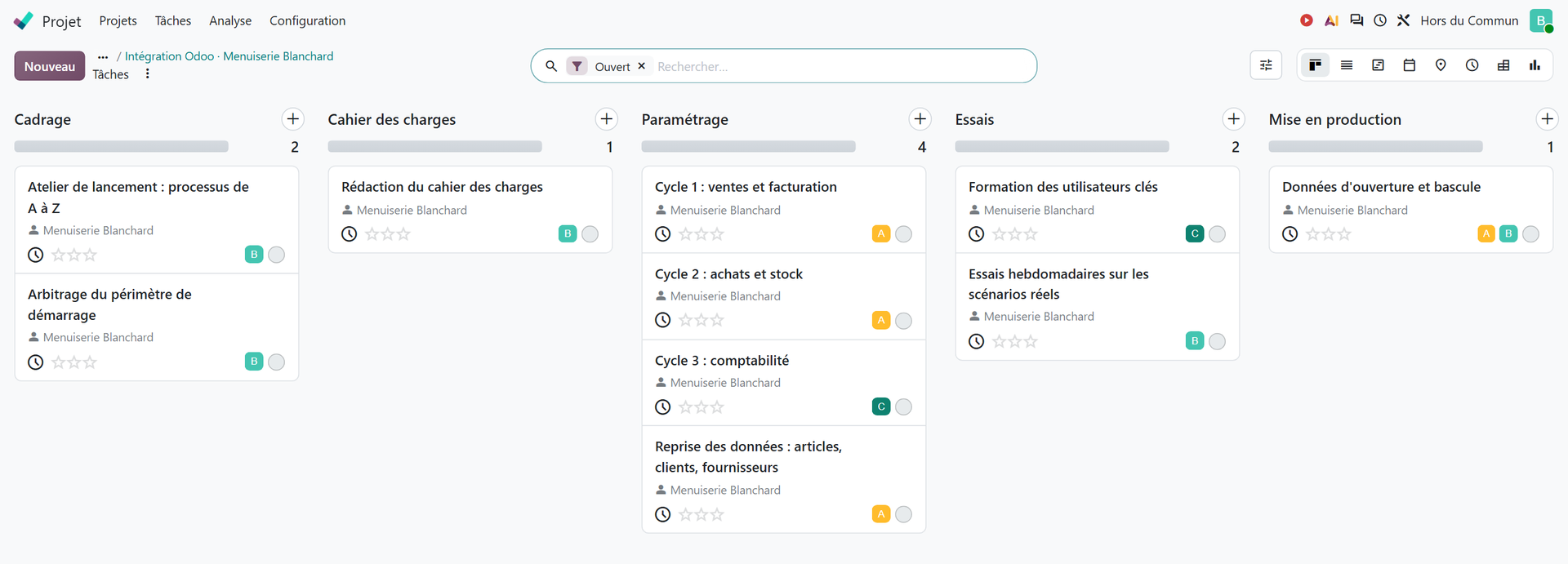
This method, from configuration to business testing by way of data migration, the role of the internal lead and preparing your teams, is described step by step, with real cases, in our guide to a successful Odoo implementation.
How do you shorten the duration without cutting corners on the project?
Shortening a project does not mean skipping steps. It means removing what does not need to be there on day one. Five decisions help, and all of them are made on the company side.
- Sort your requirements before the first workshop: essential at the start, important, or for later. A phase 2 is not a failure, it is a timeline that holds.
- Appoint an internal lead and free up their time, in black and white, in their schedule, for the whole duration of the project.
- Limit the migration to the data needed at the start, and begin cleaning up files from the scoping stage rather than in the week of the switchover.
- Use Odoo's standard features first, and only consider custom development after testing them on real cases.
- Test every week on your real scenarios rather than just once at the end.
The first point can be prepared even before choosing an integrator. Each department arrives with its list, and anything not sorted at the outset is likely to come back as a request mid-project, in other words as what Panorama ranks first among the causes of overruns.
To do this sorting, our Quick specification builder has you rank your requirements by Odoo app as Essential, Important or Later, in about ten minutes, then produces a PDF to share with your team and your accountant.
One last point: these decisions do not reduce the work required, they remove the unnecessary work. Starting with three well-tested apps leaves room to add the next ones later, on a sound foundation, rather than opening seven workstreams at once.
When can you say the implementation is finished?
The duration of an implementation is measured up to go-live, not up to the last improvement idea. Our guide sets out what must be in place at that point:
- a fully configured Odoo database;
- business flows that are tested, adjusted and validated;
- data that is migrated and cleaned up;
- internal leads who are trained and confident;
- an organization ready for go-live.
As long as one of these points is missing, the switchover date remains theoretical. When they are all in place, the switchover becomes a formality, because the flows have already been run dozens of times by the people who will use them.
The improvements that come afterwards fall under ongoing support after go-live, not implementation. Mixing the two means giving yourself a project that never ends. Separating them means accepting that an ERP lives and grows, but from a start date that was kept.
In short: count in hours, break the work into cycles, keep control of scope and data, and protect your internal lead's time. These are the decisions that let an SME project stay on schedule.
- Odoo, Success Packs page, project estimator (viewed in October 2026): https://www.odoo.com/fr_FR/pricing-packs
- Panorama Consulting Solutions, 2017 ERP Report, 2017: https://www.panorama-consulting.com/wp-content/uploads/2017/07/2017-ERP-Report.pdf

Article written by Billy Felicie
Odoo integration expert at Hors du Commun (Lyon). I have been helping SMEs implement their digital tools and optimize their business processes for more than 5 years.