
What is an ERP? The complete guide to running your business
Have you ever wondered how some companies manage to handle thousands of tasks at the same time, make decisions in record time and stay highly competitive?
Their secret? 🙊 The ERP.
This tool is a bit like a business superhero. In fact, according to the latest reports from Panorama Consulting (a global reference on the subject), nearly 95% of companies believe their ERP has greatly improved their business processes. It gives them the powers of speed, efficiency and a 360-degree view of their business.
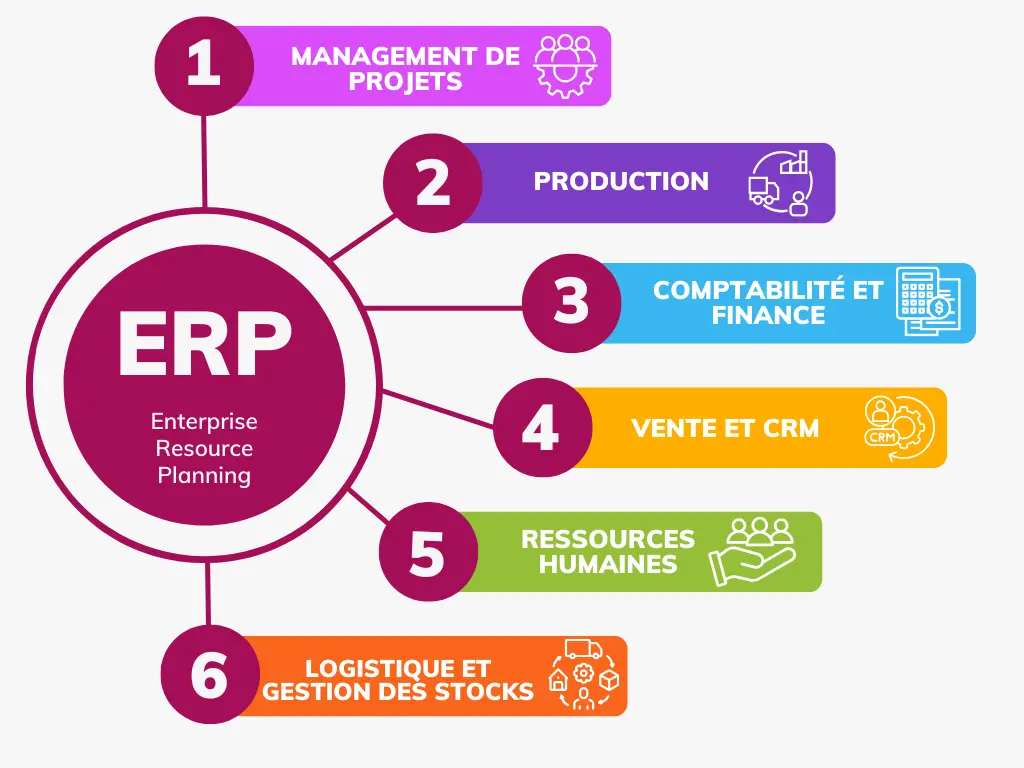
What is an ERP?
An ERP (Enterprise Resource Planning), or PGI (Progiciel de Gestion Intégré) in French, is a software suite that lets you manage all your activities in one place:
- ✅ Accounting & Finance
- ✅ Project management
- ✅ Purchasing & Expenses
- ✅ Marketing & Sales
- ✅ Sales (CRM)
- ✅ Human Resources
The list is almost endless, since you can customize an entire ERP to fit your organization.
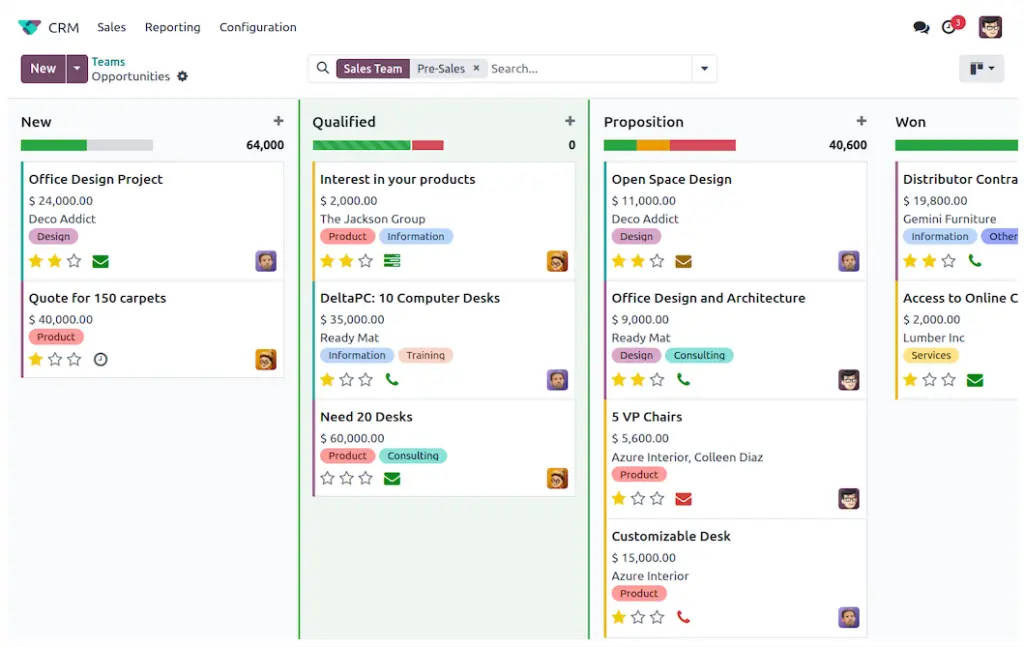
Overview of the Odoo CRM module interface.
Why use an ERP as a small business?
About ten years ago, ERPs were heavy "war machines" that were hard to roll out and very expensive. Only large companies could benefit from them. Today, driven by digitalization bodies such as Bpifrance (French public investment bank), solutions for SMEs have multiplied and prices have dropped drastically!
This management software has become an essential strategic resource to centralize information, avoid double data entry and improve collaboration between your departments.
💡 The 4 main benefits of an ERP
- Time savings: automation of repetitive tasks and fewer manual errors.
- Better productivity: seamless coordination between teams and departments.
- Easier decision-making: access to reliable, sourced, real-time data.
- Greater visibility: performance tracking and quick identification of bottlenecks.
What are the features of ERP software?
Let's see how an ERP can transform your organization by grouping all your key operations into "modules".
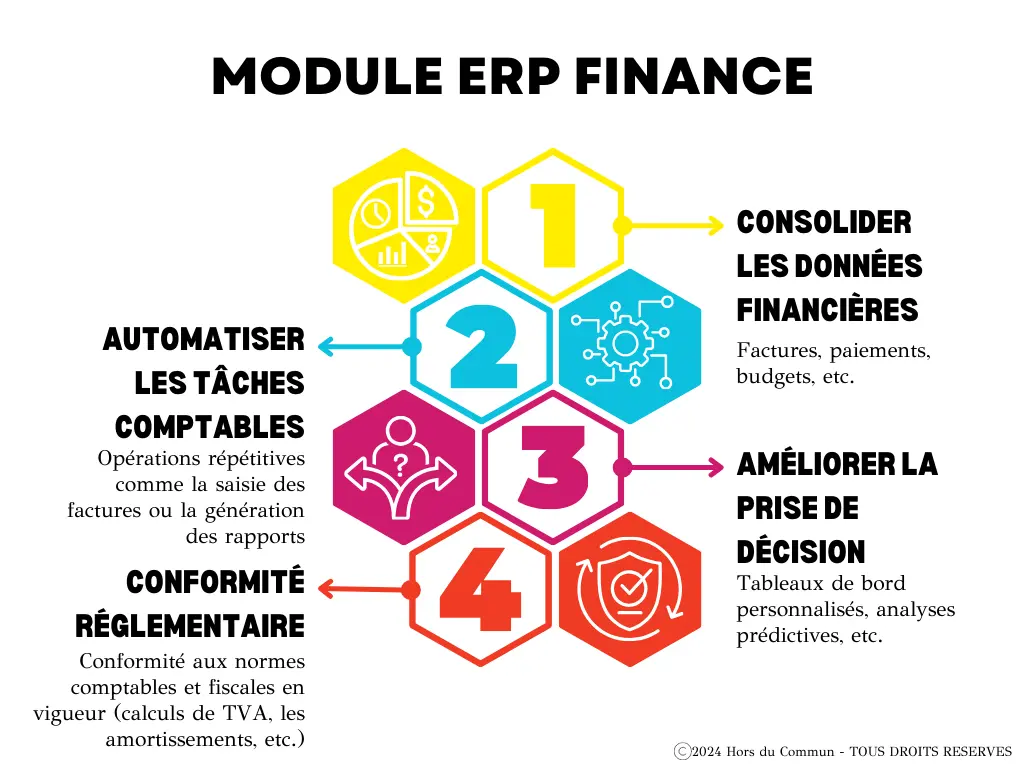
📈 Finance management module
Centralize and track all your accounting operations in real time. From accounts receivable to fixed assets, including e-invoicing, every piece of data is consolidated. No more headaches with stray Excel files!
💲 Purchase management module
It makes collaboration easier between purchasing, accounting and production. Purchase orders and payment requests are automatically routed to the right people.
🤝 CRM module (Customer Relationship Management)
With the CRM, every interaction with a prospect, customer or partner is recorded, analyzed and put to use. The goal? Know your customers better and boost your sales.
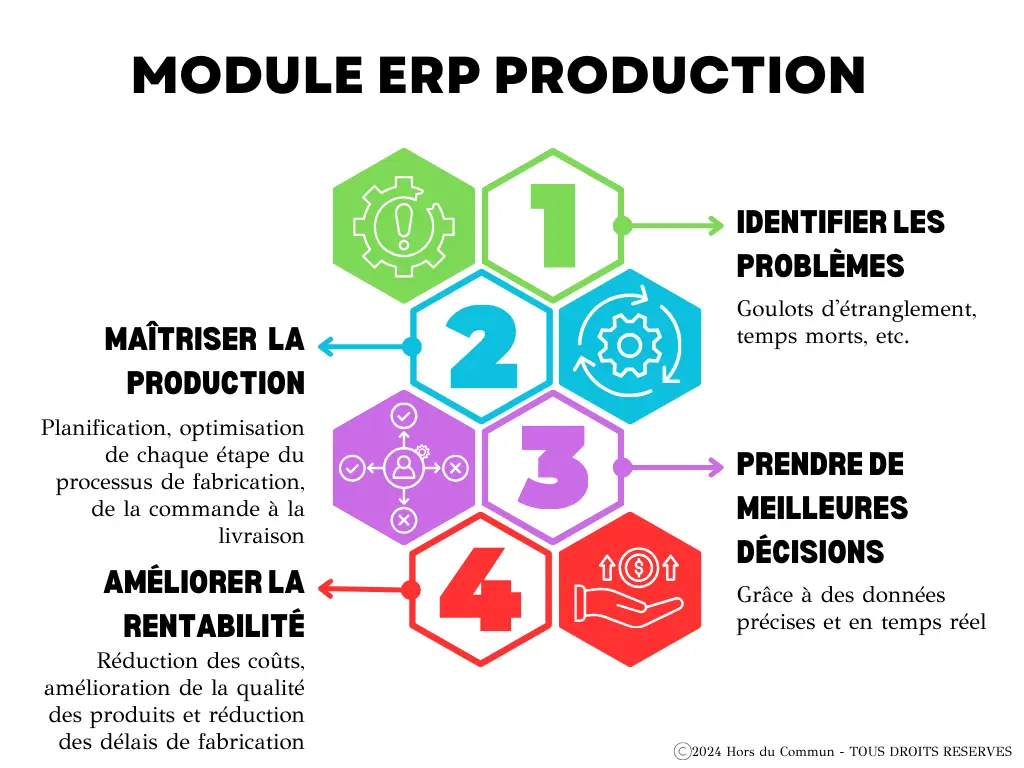
🏭 Production & Inventory management module
It keeps a close eye on everything that happens in the factory or the warehouse. From stock management (real-time inventory management) to maintenance operations. It prevents stockouts and instantly integrates customer orders.
📊 Business Intelligence (BI) module
Dashboards and Business Intelligence clearly present your key performance indicators (KPIs). Generate custom reports and follow how your business is evolving at a glance.
General-purpose vs specialized: which type of ERP should you choose?
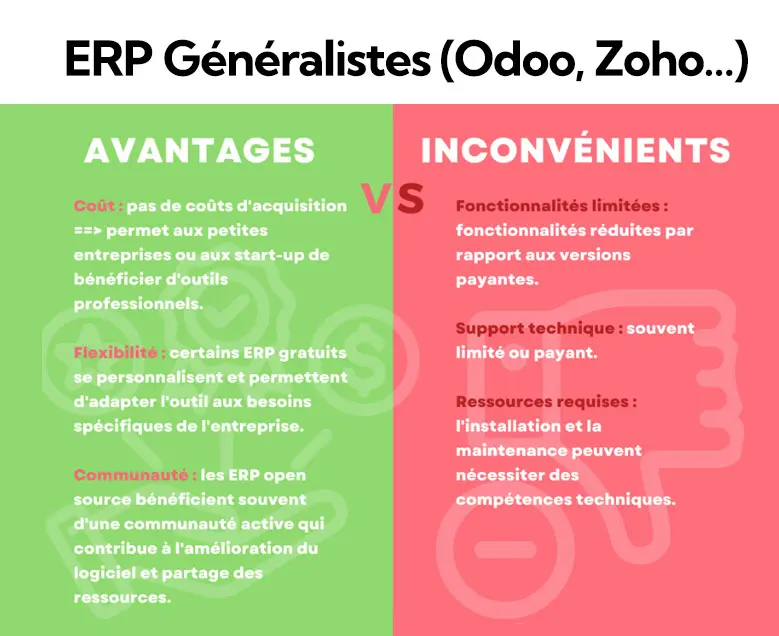
General-purpose ERP (horizontal)
They cover a wide range of activities (HR, finance, sales, logistics) in a standard way. Ideal for SMEs with conventional operations. They are often much cheaper, but sometimes require you to adapt to how the software works.
Specialized ERP (vertical)
They go deep into a specific industry (pharmaceuticals, heavy industry, legal). Very expensive (they can exceed €10k/year for a small team), they come with strict built-in standards. Best suited if your sector is extremely regulated.
Cloud, SaaS or on-premise: how should you host your ERP?
As the specialized tech press regularly points out (see Journal du Net), your choice of hosting now defines your entire security and maintenance strategy.
💻 On-premise
A solution installed on your own physical servers. You manage everything and you guarantee security, but you bear the costs of buying hardware, maintenance and updates.
☁️ In the Cloud
The software is hosted on external servers. You access it from anywhere over the Internet, without having to manage physical machines.
🚀 As SaaS
SaaS (Software as a Service) is the ultimate level of Cloud. The vendor fully outsources management, infrastructure, security and updates. You pay a "turnkey" subscription.
What is the best ERP in 2025 for a small business?
Surprise: there is no absolute "best" ERP! A start-up will not have the same needs as a large group. However, for small businesses looking for a controlled budget and a general-purpose solution, two heavyweights stand out:
Odoo
Odoo stands out as the go-to ERP of 2025 thanks to its open-source flexibility and modular approach. You only install the "apps" you need. Its pricing is extremely attractive, and you can host it as SaaS or on your own servers. The only difficulty lies in its initial configuration, which often requires the help of a specialized Odoo integrator.
Zoho One
Zoho One is a suite known for its ability to meet the needs of demanding companies. Although it looks a bit more austere than Odoo, it offers a wide range of integrations. Its international popularity is a strength, but it is sometimes harder to find local expertise in France to support you in deploying it.
Conclusion: the ERP is your company's co-pilot
An ERP is much more than just software: it is the central nervous system of your company. By centralizing your data and automating your tasks, it saves you precious time. More than a tool, it is a genuine, affordable growth lever, even for small businesses.
And the future looks even more promising! With the rise of artificial intelligence (such as the arrival of AI agents for Odoo) and IoT, ERPs are becoming genuine assistants able to forecast your sales and optimize your supply chain. The future of ERP is no longer data entry, it is decision support.
❓ FAQ: everything you need to know about ERPs
You generally pay for an ERP per user. License prices often range from €20 to €50 excl. VAT per user per month. However, do not forget to budget for the integration (configuration, data migration, training), which is the main investment in the first year.
No, not anymore! If you choose a SaaS offering (Cloud managed by the vendor), technical maintenance, servers and updates are handled invisibly. All you need to use it is a web browser.
For a small business deploying standard modules (CRM, Quotes, Invoicing), a rollout can take 3 to 8 weeks. If you add complex production management or a large volume of historical data, the project can stretch over several months. Ideally, deploy in "phases".
Absolutely. A modern ERP like Odoo has APIs that let you connect Shopify to Odoo or Prestashop. This lets you sync inventory, customer orders and invoicing in real time, without double data entry.
Building a 100% tool "from scratch" is extremely long and costly, and creates a strong technical dependency (technical debt). We strongly recommend using a powerful existing ERP like Odoo and adding light customizations only where your business strictly requires them.
- Panorama Consulting (annual ERP report): https://www.panorama-consulting.com/resource-center/erp-report/
- Bpifrance (Accélérateur Transition Numérique, digital transition accelerator): https://www.bpifrance.fr/nos-appels-a-projets-concours/accelerateur-transition-numerique
- Journal du Net (Cloud & SaaS trends): https://www.journaldunet.fr/web-tech/cloud/

Article written by Billy Felicie
Odoo integration expert at Hors du Commun (Lyon). I have been helping SMEs set up their digital tools and streamline their business processes for more than 5 years.